

Let’s be honest—fumbling for your house keys while carrying a load of groceries is easily one of the most frustrating daily struggles. And if you are still hiding a physical spare key under the doormat in 2026, you are practically inviting unwanted guests over.
Smart locks have completely changed the home security game. But if you have ever tried shopping for one, you probably noticed a big problem: the premium locks that actually work seamlessly with Apple Home or SmartThings usually cost a fortune. On the flip side, the cheap ones are a nightmare to install and lose connection every other day.
That’s exactly where the Ultraloq Bolt (Mission Wi-Fi) comes in. It promises premium smart home integrations, absolute reliability, and a sleek look—all without breaking the bank.
But does it actually live up to the hype? Let’s find out in this honest, hands-on Ultraloq Bolt review.
(Disclaimer: This post contains affiliate links. If you make a purchase through these links, I may earn a small commission at no extra cost to you.)
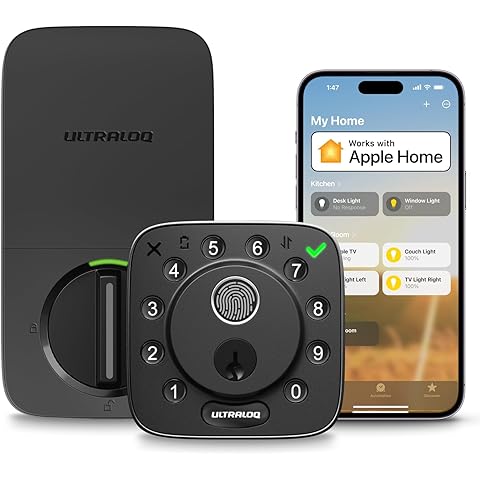
What is the Ultraloq Bolt (Mission Wi-Fi)?
The Ultraloq Bolt is a modern, motorized deadbolt smart lock designed for homeowners, apartment renters, and Airbnb hosts who want elite security without the elite price tag.
Unlike older smart locks that require a bulky layout, the Bolt features a surprisingly compact and minimalist design. The exterior keypad is clean, weather-resistant, and matte black, meaning it will instantly elevate the curb appeal of almost any standard American front door.
But the real magic lies under the hood. The “Mission Wi-Fi” tag means this lock connects directly to your home network—no annoying extra hubs or bridge devices cluttering your wall outlets.
Key Features That Make It a Game-Changer
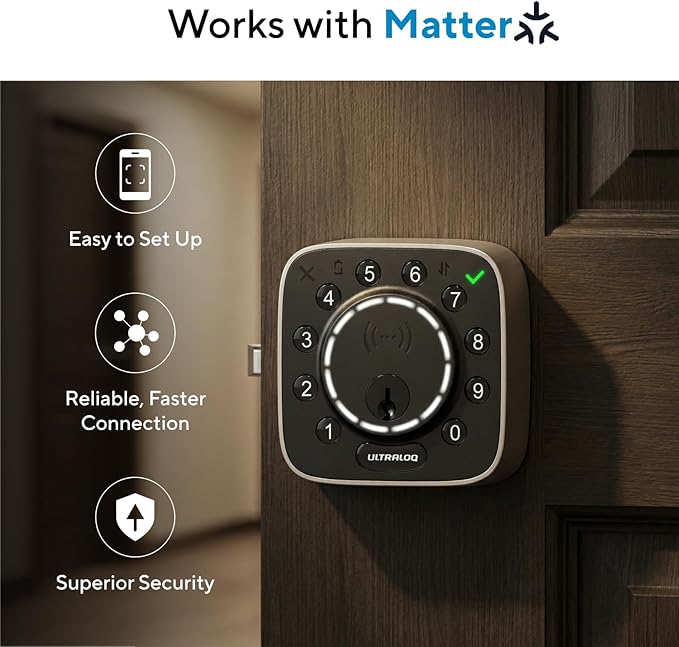
1. Seamless Smart Home Integration (Apple Home & More)
If you are an iPhone user, you know how hard it is to find budget gadgets that play nice with the Apple ecosystem. The Ultraloq Bolt integrates beautifully with Apple Home. This means you can ask Siri to lock the door while you’re lying in bed, or automate it to lock automatically the moment you leave your geofence area. Not an Apple fan? Don’t worry. It works just as smoothly with Samsung SmartThings, Google Assistant, and Amazon Alexa.
2. Built-in Wi-Fi (Goodbye, Extra Hubs!)
With older generations of smart locks, you had to buy a separate Wi-Fi bridge, plug it into an outlet near the door, and pray it didn’t drop the signal. The Ultraloq Bolt has Wi-Fi built right into the device. Setup takes less than two minutes inside the app, giving you instant remote control from anywhere in the world.
3. Multiple Ways to Unlock
You will never be locked out again. The Ultraloq Bolt gives you plenty of backup options:
- Anti-peep Keypad: Punch in a secure code (you can add random numbers before or after your real code so strangers can’t steal it).
- Smartphone App: One-tap unlock via Bluetooth or Wi-Fi.
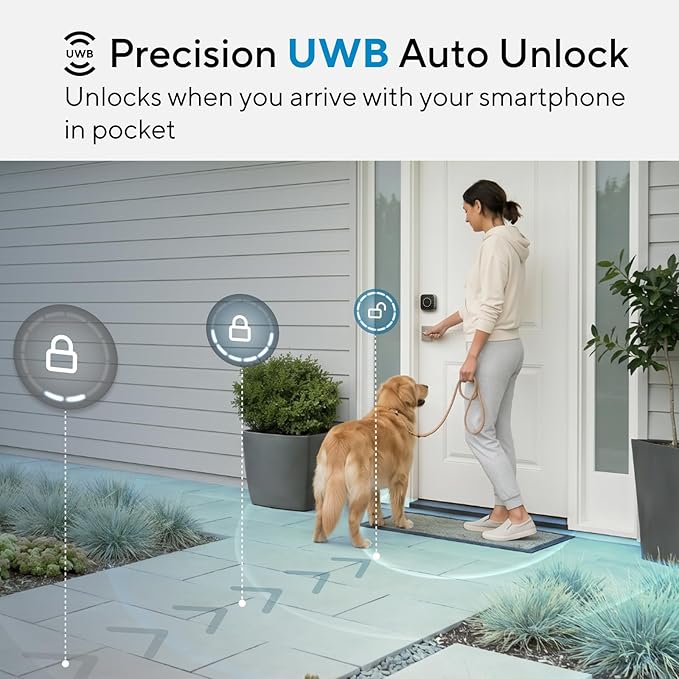
- Auto-Unlock: Uses your phone’s GPS to unlock the door automatically as you approach.
- Physical Key: Yes, it still has a hidden keyhole just in case the battery completely dies.
Design and Build Quality
When it comes to protecting your family, looks aren’t everything—durability matters. The Ultraloq Bolt feels incredibly solid in the hand. It is constructed from heavy-duty zinc alloy and carries a solid commercial security rating.
It is also IP65 dust and water-resistant. Whether you live in a state with freezing winters or scorching summer heat, the keypad is built to withstand the elements without cracking or fading.
The Honest Pros and Cons
To help you make a smart decision, here is a quick, no-nonsense breakdown of what’s great and what’s not so great about this lock:
The Pros:
- No Extra Costs: No subscription fees and no separate hub required.
- Apple Home Compatible: A massive win for iOS and Apple Watch users at this price point.
- Easy Installation: Fits standard doors; all you need is a screwdriver and about 15 minutes.
- Remote Management: Perfect for letting in dog walkers, guests, or delivery drivers when you aren’t home.
The Cons:
- Wi-Fi Battery Drain: Because built-in Wi-Fi stays connected to your router, it eats through AA batteries faster than Bluetooth-only locks. Expect to replace them every 4 to 6 months depending on usage. (Pro-tip: Use high-quality Energizer Lithium batteries for maximum life).
- No Fingerprint Scanner: This specific model relies on the keypad and app, not biometrics.

Is It Worth It for Renters and Airbnb Hosts?
Absolutely. If you run an Airbnb or rent out a property, the Ultraloq Bolt is a lifesaver. Through the app, you can generate temporary eKeys or specific keypad codes that only work during specific hours or dates.
When your guest checks out, their code automatically expires. You don’t have to drive over to change physical locks or worry about guests copying your keys. Plus, since it’s a standard deadbolt, renters can easily swap it back to the original lock when their lease ends.
The Verdict: Should You Buy the Ultraloq Bolt?
If you want a dependable, gorgeous, and deeply integrated smart lock that connects with Siri, Alexa, or SmartThings, the Ultraloq Bolt (Mission Wi-Fi) is easily one of the best values on the market right now. It punches way above its weight class, offering features that usually cost double.
It skips the flashy fingerprint scanners to focus entirely on what matters most: solid build quality, reliable connections, and effortless everyday unlocking.
Our Rating: ⭐⭐⭐⭐✨ (4.6 / 5)
Ready to Upgrade Your Home Security?
👉 Click Here to Check the Latest Price and Deals on the Ultraloq Bolt on Amazon